Xray In Chrome
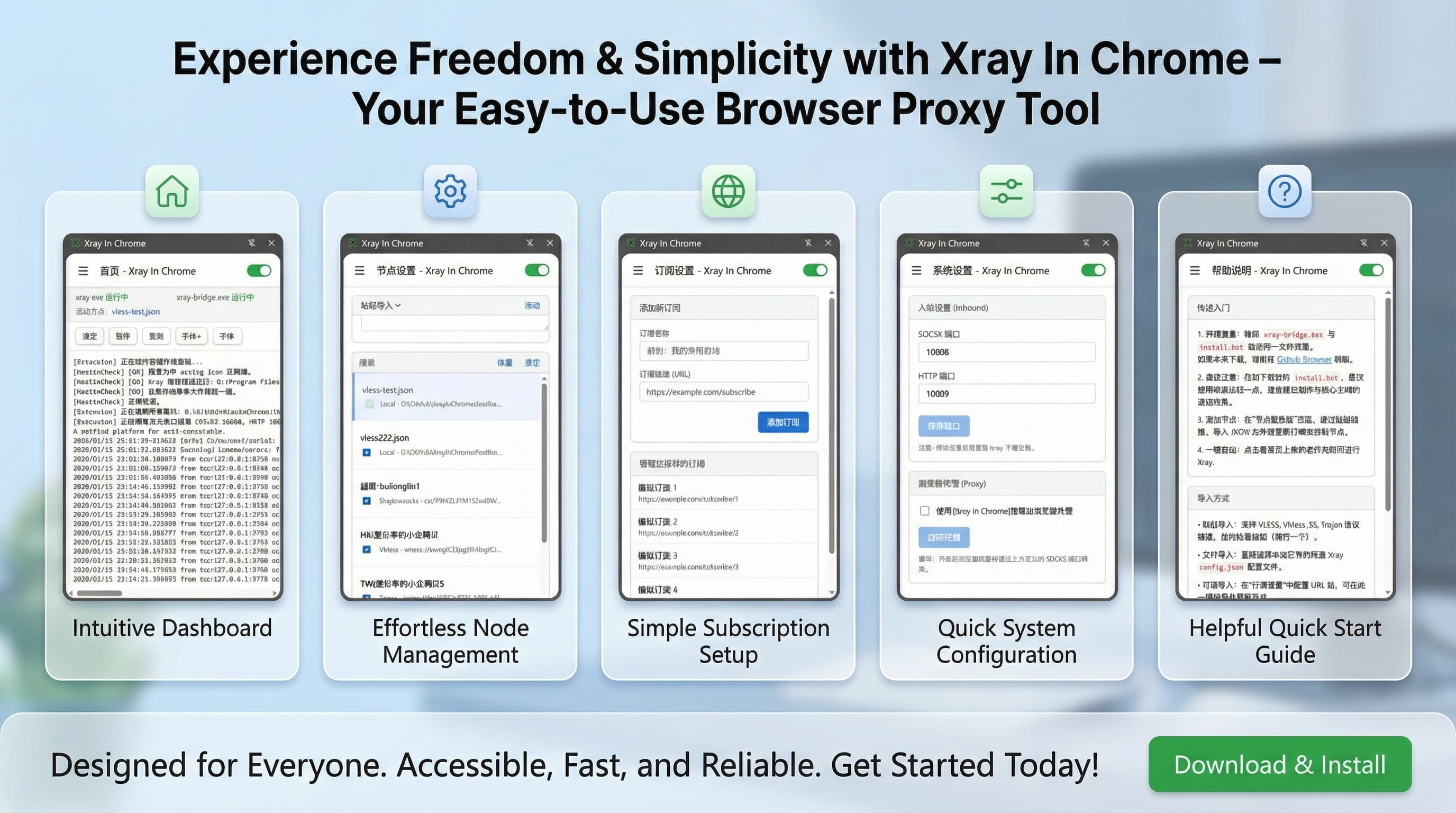
XrayInChrome is a powerful tool that integrates Xray core control directly into the browser's side panel. By leveraging the Chrome Native Messaging mechanism, it achieves a seamless connection between the browser UI and system-level network processes, allowing users to manage network proxies efficiently without dealing with complex command lines or tedious configuration files.
Core Features
- 🚀 Minimalist Control Center: Real-time control of Xray core startup, shutdown, and status monitoring via the Chrome Side Panel.
- 📦 Intelligent Subscription Management: Support for one-click import of node links, automatically parsing and syncing them to local state.
- 📜 Real-time Log Stream: View Xray runtime logs directly in the browser interface for rapid connection troubleshooting.
- ⚙️ Automated Deployment: Built-in Go-based Native Host with one-click registry installation.
- 🛡️ Privilege Separation Architecture: Employs a low-privilege frontend + high-privilege backend architecture for enhanced security.
Setup Guide
Visit the GitHub Repository to download and run the setup guide xray-bridge.exe.
Select 'Yes' in the popup dialog to start installing or updating the bridge.
Select the xray.exe core file on your computer and click OK. This registers the bridge in the Windows Registry, granting Chrome permission to call Xray.
1. Open Chrome and navigate to chrome://extensions/
2. Enable Developer mode (top right toggle)
3. Click Load unpacked
4. Select the extension folder in the project directory
Restart your browser and click the 'Xray in Chrome' extension button to open the side panel. The bridge will start automatically; confirm that xray-bridge.exe status becomes 'Running'.
Import proxy nodes in the 'Server' page and click to select a target node (marked with ✅) as the active configuration.
Enable the toggle in the top right of the 'Home' page. Once the status is 'Running' and logs are clear, the Xray core is started successfully.
In the 'Others' (System Settings) page, check 'Use Xray Proxy' and click 'Apply'. Browser traffic will now be forwarded via Xray.
System Architecture
XrayInChrome adopts a Privilege Separation architecture to ensure both operational convenience and system security:
[ Chrome Browser ]
       │
       ▼
[ Sidepanel UI ]  <───>  [ Background Script ]
                                 │
                                 │ (Chrome Native Messaging API)
                                 ▼
                         [ Go Native Host ]  <───>  [ Windows Registry ]
                                 │
                                 │ (Process Management)
                                 ▼
                         [ Xray Core Process ]  <───>  [ Network Traffic ]
- Frontend (Extension): Responsible for UI interaction, subscription parsing, and configuration orchestration.
- Native Host (Go): Responsible for Xray process lifecycle management, physical generation of config files, and system calls.
- Xray Core: The actual binary executing the network proxy logic.
Security Note
This project operates via Chrome's officially supported Native Messaging mechanism:
- Controlled Communication: The extension cannot arbitrarily access your file system; all system operations must pass strict validation by the
native-host. - Explicit Authorization: Installing the backend requires administrator privileges (modifying the registry), ensuring that installation is a user-perceived and authorized action.
- Least Privilege: The extension only requests necessary API permissions and does not run any third-party remote scripts.
- Compliance: The user is solely responsible for ensuring that the use of this project and its derivatives complies with all applicable local laws and regulations.
- Assumption of Liability: Any and all legal liabilities, disputes, or consequences arising from the use of this project and its derivatives shall be borne exclusively by the user.